Push reminders
Insurance, inspections, and service dates land as notifications on your phone, so deadlines do not wait until you open a laptop.
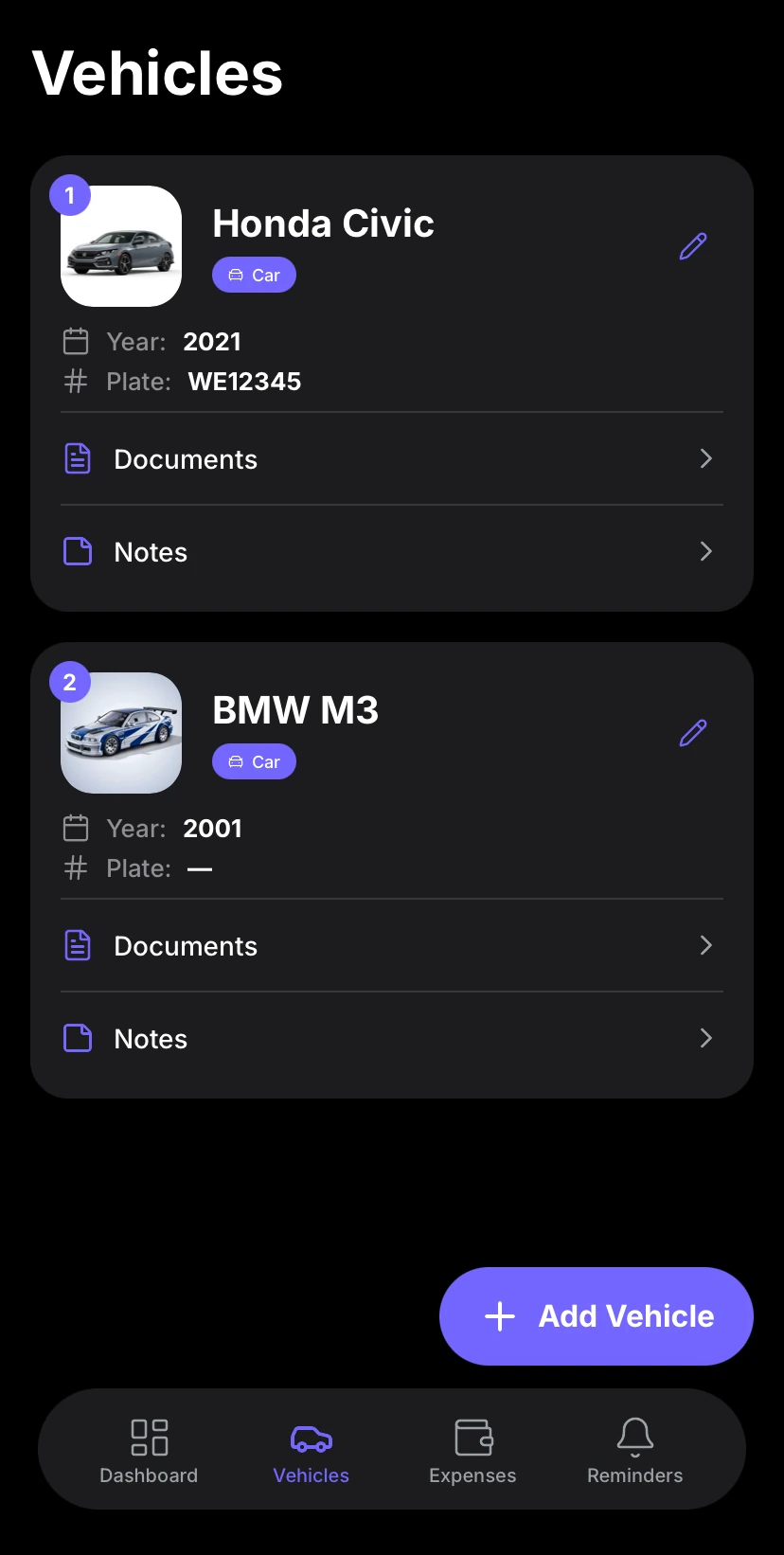
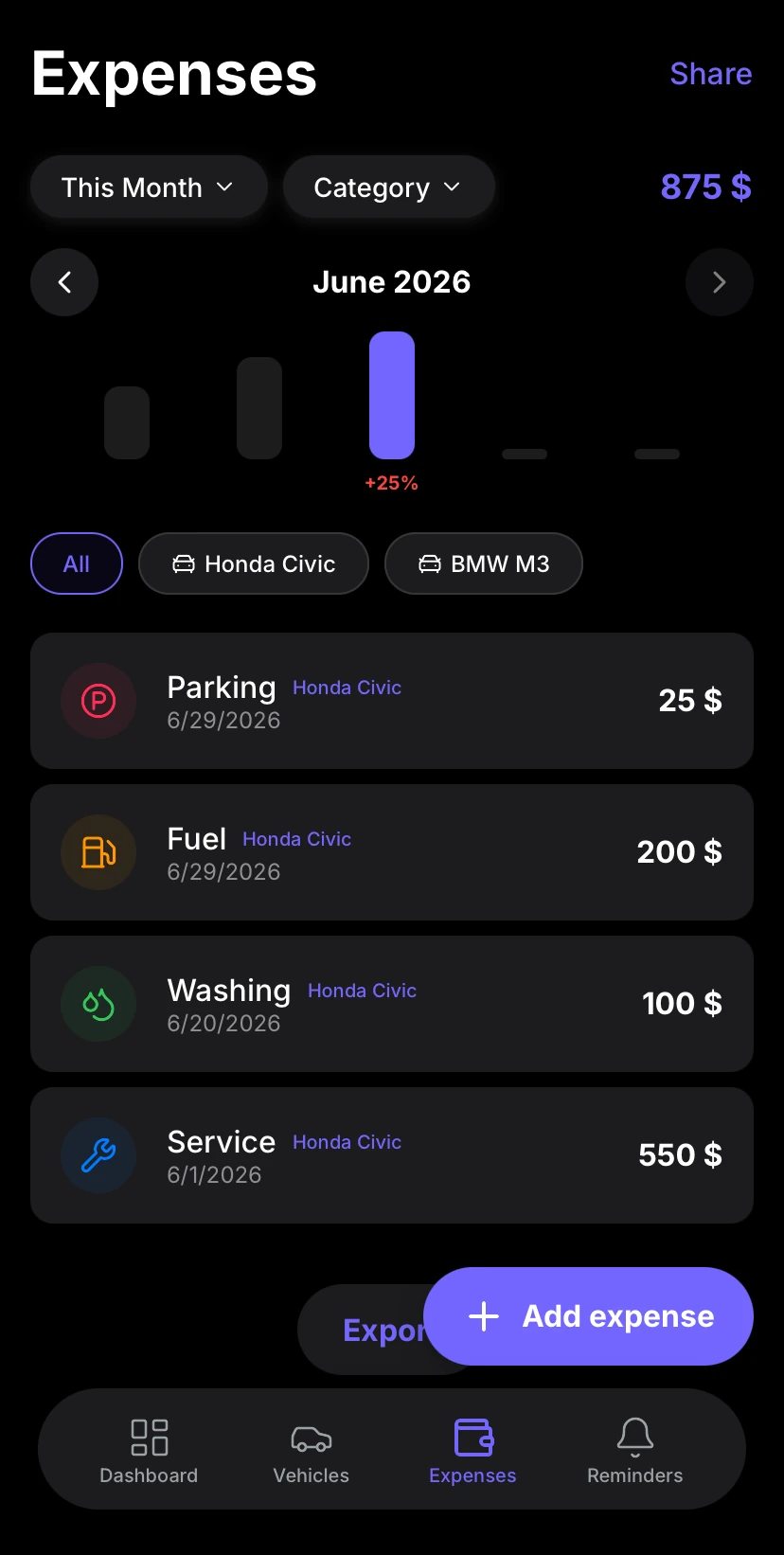
Log expenses on the go, get push notifications for service and insurance reminders, keep vehicle documents handy, and manage your fleet from the phone — same data as the web app, on iOS and Android.


4.8 stars on App Store and Google Play · Free to start
No ads, no outdated interface, no subscription required to see basic features. Aufix loads fast, looks good, and lets you track fuel and expenses from the first minute.

Refueling
VW Golf
$45
Tire Service
VW Golf
$120
Car Wash
VW Golf
$15
Fill in a fuel stop at the pump or log a service right after the mechanic — then everything syncs with the web dashboard automatically.
Insurance, inspections, and service dates land as notifications on your phone, so deadlines do not wait until you open a laptop.
Photo a fuel or workshop receipt in the app. Pro and higher plans read totals with AI, so you spend less time typing numbers.
Add expenses and notes without a signal. Changes sync automatically when you are back online.
Create an account or sign in with Apple or Google. The same login opens the web app at web.aufix.app.
Drivers log from the phone; you review the same vehicles, costs, and reminders in the browser. One account, both platforms.
Keep insurance cards, notes, and service files on the vehicle. Fleet Pro can optionally sync selected files to encrypted cloud storage.
Release notes for the iOS and Android app, newest first.
Download, iOS and Android features, offline use, push reminders, web sync, and supported devices.
Download Aufix for iPhone and iPad from the App Store, and for Android from Google Play. The vehicle expense tracker is free to start; paid plans for more cars, Excel export, and fleet tools stay optional in the app or at web.aufix.app.
Yes — fuel logs, service history, insurance reminders, documents, and fleet tools match on iOS and Android. The web app is the same Aufix product in the browser, so you can manage a car or a small fleet from phone and desktop.
Yes. Add fuel costs, service notes, and receipts without a network; Aufix keeps them on the device. When you are back online, expenses and reminders sync with the web dashboard and your other phones automatically.
Set dates for insurance, inspections, oil changes, or custom vehicle events in the Aufix app. Push notifications land on the lock screen, so service reminders do not wait until you open a laptop or web.aufix.app.
Yes. Sign in with the same Apple or Google account on iOS, Android, and the web app. Drivers log vehicle expenses on the phone; you review the same cars, costs, and reminders in the browser at web.aufix.app.
Aufix is a native iOS and Android app with no extra hardware: iPhone and iPad need iOS 15.1 or later from the App Store, Android phones and tablets need Android 9 or later from Google Play. The same account also opens the web dashboard.
Mobile App
Log expenses on the go, get push notifications for service and insurance reminders, keep vehicle documents handy, and manage your fleet from the phone — same data as the web app, on iOS and Android.
4.8 stars on App Store and Google Play · Free to start